Long-range countdowns
Use years, months, weeks, days, hours, minutes, or seconds to make a far-off date understandable.
Retirement countdown
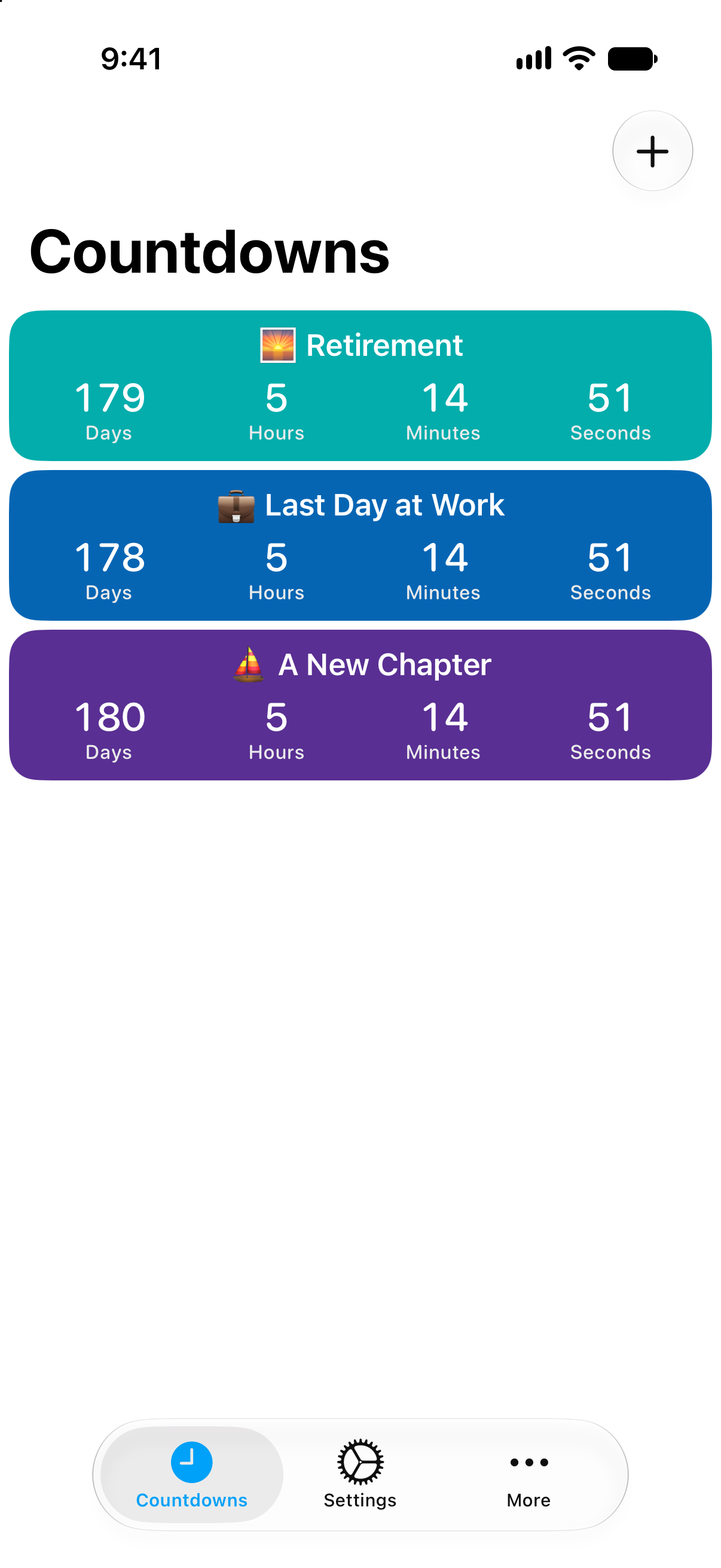
Track the last workday, final shift, or first day of retirement with a countdown that stays visible across Apple devices.

Why it helps
Use years, months, weeks, days, hours, minutes, or seconds to make a far-off date understandable.
Track final deadlines, last shifts, notice dates, and celebration plans alongside the main countdown.
Add widgets or Apple Watch complications when you want the date close by.
Retirement countdowns often start months or years before the actual date. Seeing the time in the right units can make the milestone feel more concrete. Use months while the date is far away, weeks as planning becomes real, and days when the final stretch begins.
Countdowns can also track the smaller dates around retirement, such as paperwork deadlines, celebration plans, or the first trip after work.
When retirement begins, the date does not have to disappear. You can keep the event in your archive or use count-up behavior to see how long it has been since the milestone.
How to use it
Start with the date, then make the timer useful everywhere you check your day.
FAQ
Yes. Countdowns can track long-term events and display them in the units you prefer.
Yes. Countdowns can count down to a date or count up from a date.
Countdowns supports Apple Watch and complications for glanceable tracking.
Start counting
Download Countdowns and track the milestone from today to the final day.