Multiple trip dates
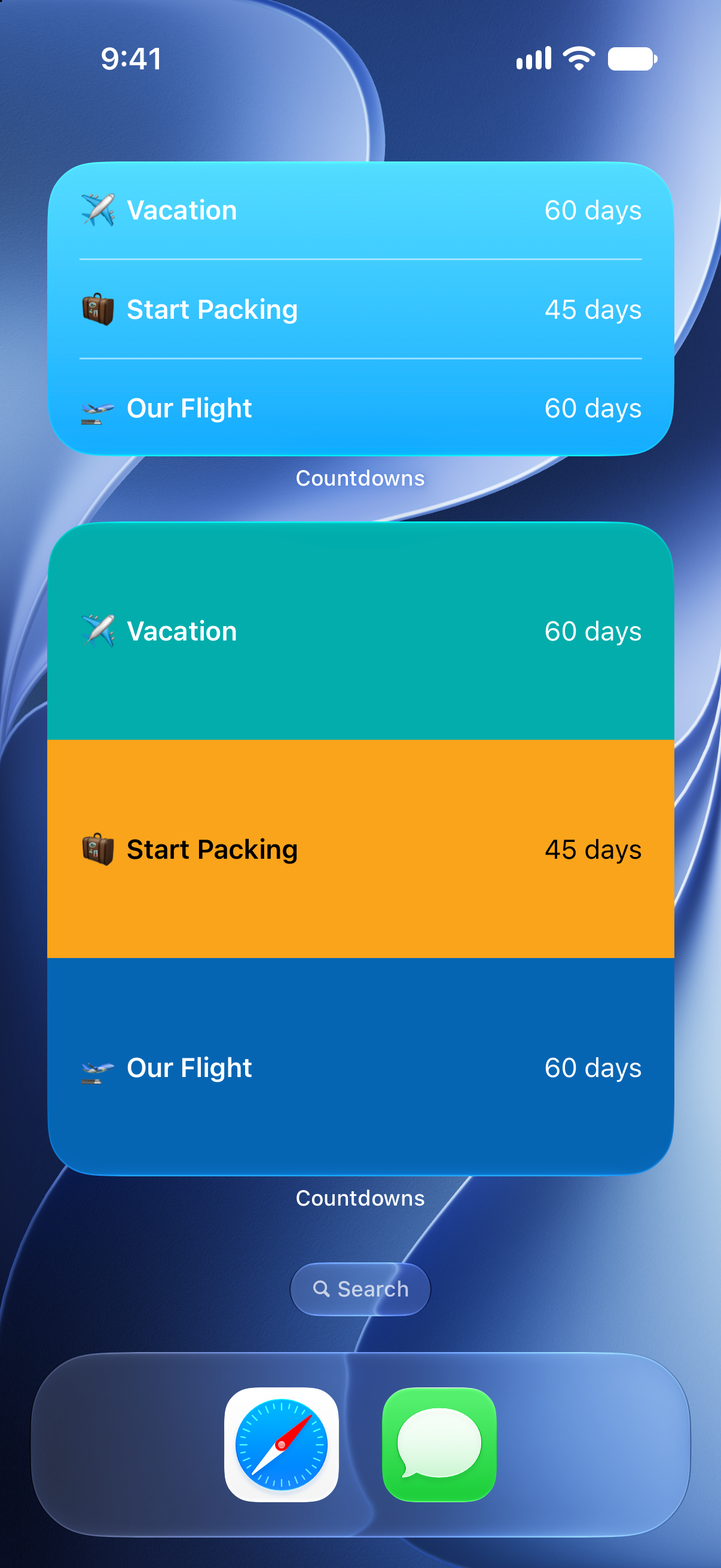
Track departure, check-in, park days, cruise boarding, and the return home as separate countdowns.
Vacation countdown
Count down to flights, road trips, hotel check-ins, cruises, and family vacations with widgets and reminders.

Why it helps
Track departure, check-in, park days, cruise boarding, and the return home as separate countdowns.
Set notifications before the trip so travel tasks do not wait until the last night.
Keep the vacation countdown on the Home Screen or Lock Screen while the date gets closer.
A vacation is rarely one date. There may be a flight, hotel check-in, park reservation, cruise boarding, tour, family visit, and a return date. Countdowns lets you track those moments separately so the trip feels organized instead of abstract.
Use days and weeks early in planning, then switch to hours or minutes when departure is close. Widgets help keep the date visible without opening the app.
Countdowns can act as both anticipation and planning support. Set reminders for packing, documents, pet care, or leaving for the airport. After the trip, archive the countdowns so they do not clutter the next plan.
How to use it
Start with the date, then make the timer useful everywhere you check your day.
FAQ
Yes. You can create separate countdowns for each travel milestone.
Yes. Choose the units that fit the trip, from years and months to weeks, days, hours, minutes, and seconds.
Countdowns is designed for iOS and macOS, so it can fit both mobile and desktop planning.
Start counting
Download Countdowns and keep your next vacation in view.